Playlist control
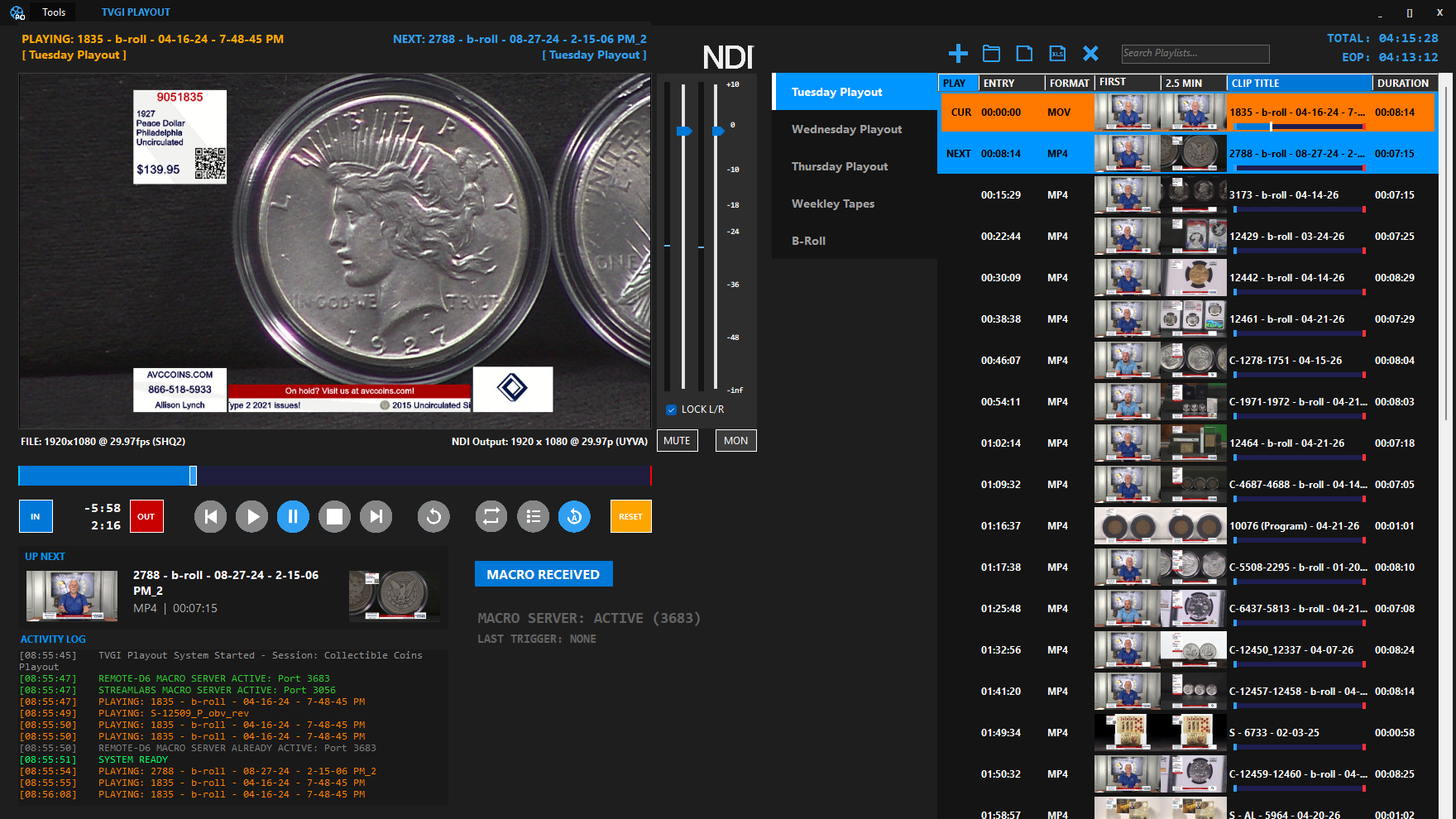
Organize show media into playlists with clip timing, first-frame previews, next item awareness, and total runtime.

Media playback
Broadcast-grade playlist control for live shows. TVGI Playout gives operators media preview, playlist timing, NDI output, macro status, and a show-ready playback surface.
What it does
TVGI Playout is built for repeated show operation: previews, playlists, timing, NDI output, activity logs, and macro integration all stay visible.
Organize show media into playlists with clip timing, first-frame previews, next item awareness, and total runtime.
Send playout video into production systems as an NDI source and monitor output status from the operator screen.
Pair Playout with Macro Remote for quick playback commands, mute states, and repeatable show actions.
TVGI Playout can be explored in Demo Mode. Live NDI output is disabled until the TVGI_PLAYOUT module is activated in TVGI Suite Manager.
Best fit
Use TVGI Playout when the broadcast needs media playback to feel as controlled as the graphics and database workflow.
TVGI Playout setup
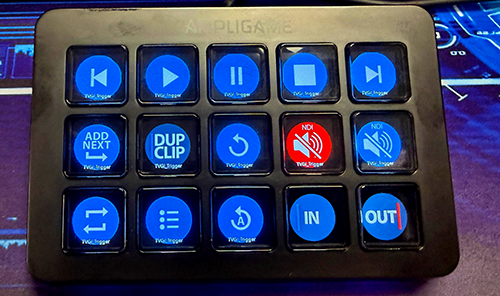
The TVGI Automation Tool can map a controller such as an Elgato Stream Deck or FIFINE device to TVGI Playout commands, giving operators dedicated buttons for playback, clip navigation, NDI mute states, and show macros.
See playback
TVGI Playout can be evaluated with your clip structure, runtime needs, output format, and operator control requirements. Macro Remote follows the TVGI Playout module license.
Request Demo