Database-backed graphics
Use product records, descriptions, prices, vendors, and notes from SQLite or MySQL-backed workflows.

Core graphics
Professional live product graphics for home shopping, livestream sales, auctions, and product-focused broadcast workflows. Pull item data from the active database, build the on-screen look, and send the output over NDI.
What it does
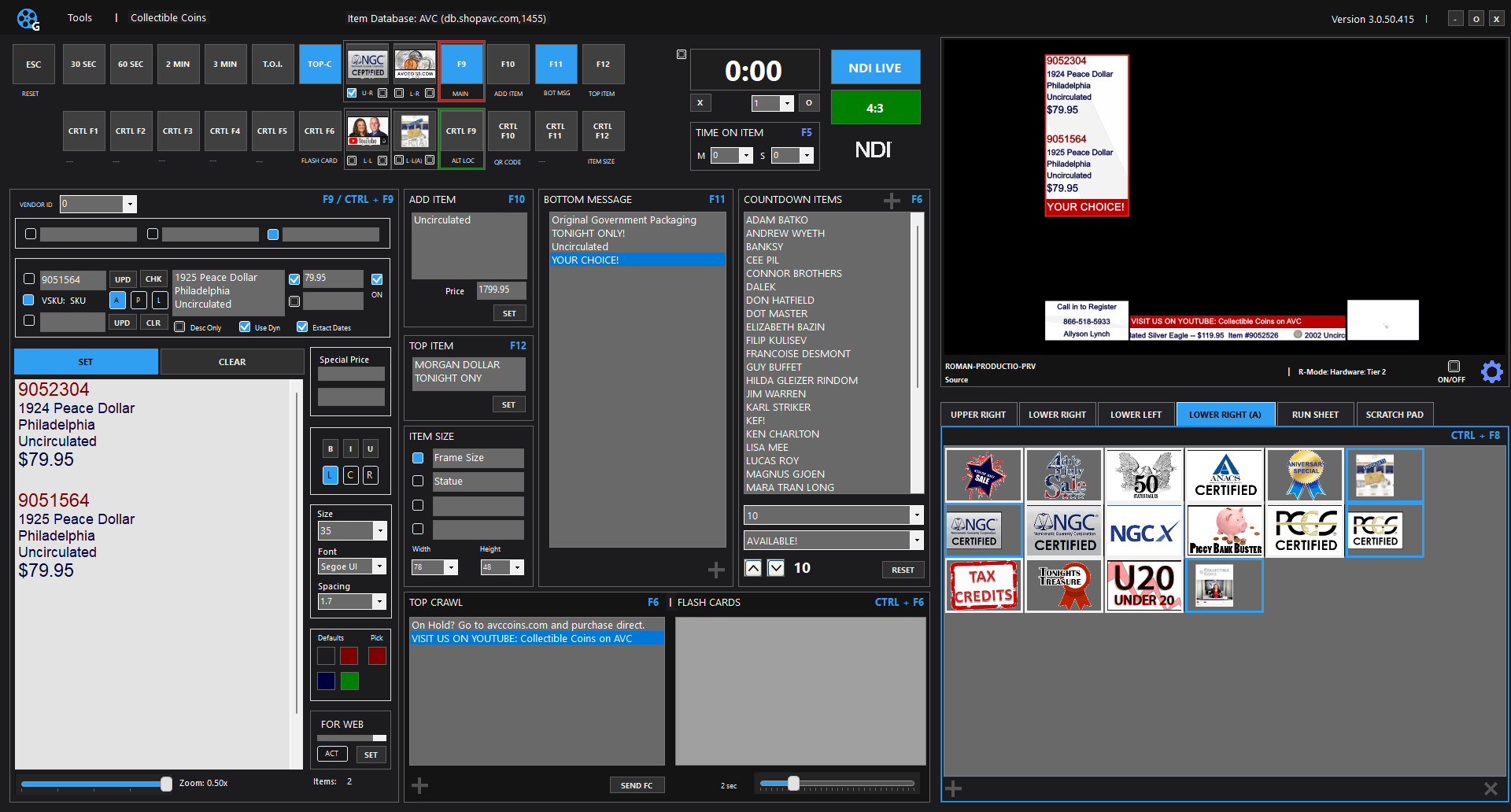
TVGI NDI gives operators a control surface for item numbers, pricing, phones, bugs, crawls, clocks, lower thirds, and live graphics states.
Use product records, descriptions, prices, vendors, and notes from SQLite or MySQL-backed workflows.
Send graphics into TriCaster, OBS, vMix, and other NDI-capable production systems.
Control timers, item graphics, bugs, crawls, top items, messages, and formatting from one live surface.
TVGI NDI runs in Demo Mode until the TVGI_NDI module is activated in TVGI Suite Manager. Host Companion and ItemView follow the TVGI NDI license.
Best fit
TVGI NDI is the center of the graphics workflow when the show needs real product information on screen and a professional shopping-channel presentation.
TVGI NDI setup
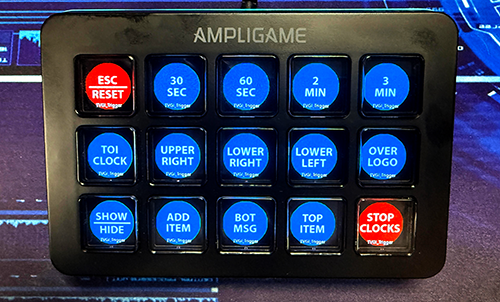
The TVGI Automation Tool can map a controller such as an Elgato Stream Deck or FIFINE device to TVGI NDI commands, giving operators dedicated buttons for graphics states, item actions, timers, messages, and common live-show shortcuts.
Production integration
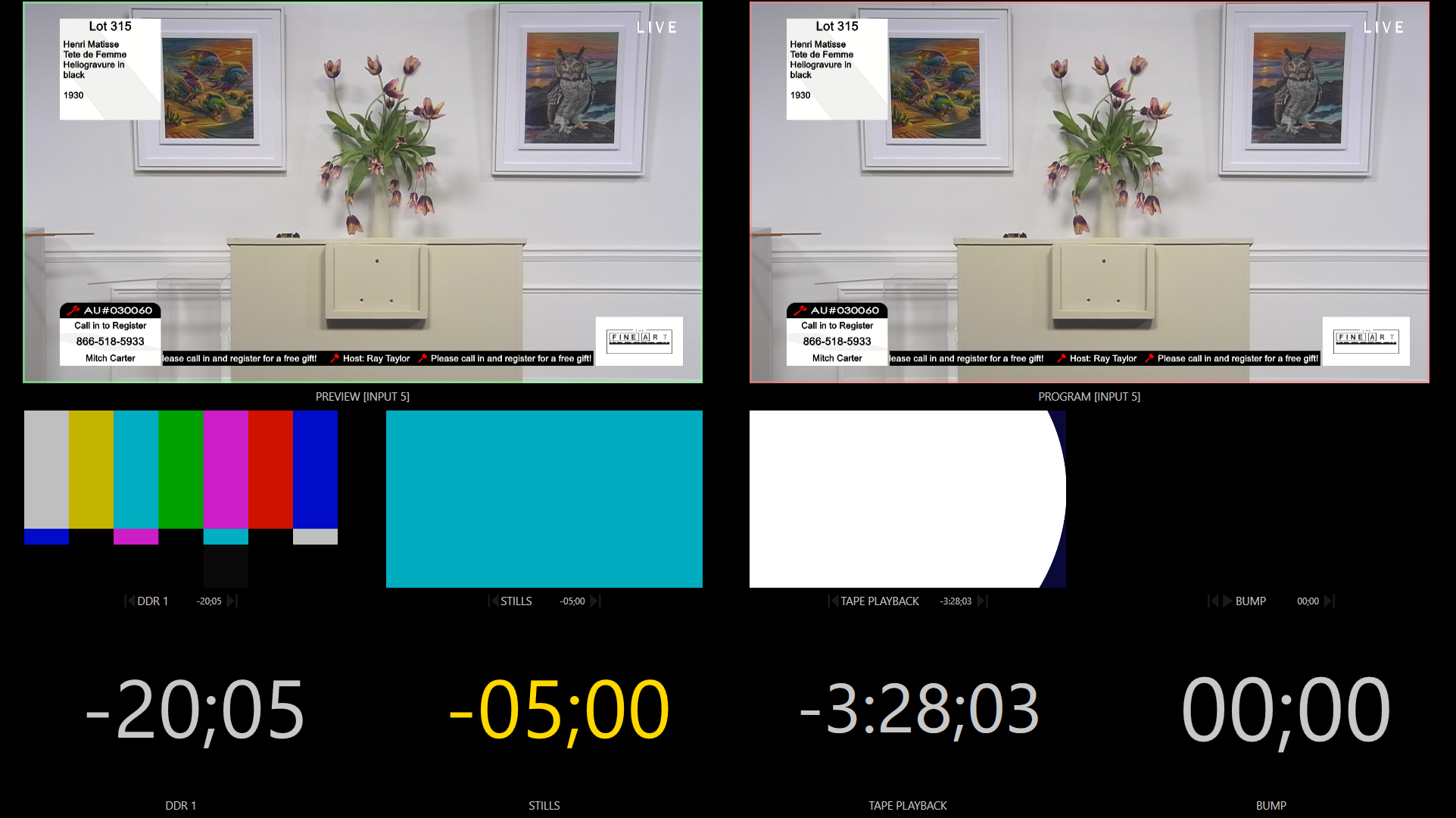
TVGI outputs graphics over NDI, so the graphics feed can be selected like a network video source inside common live production tools.
TriCaster / Vizrt
TriCaster systems are built around NDI production, so TVGI can feed live graphics into the switcher as an available NDI source for keyed or full-frame use.
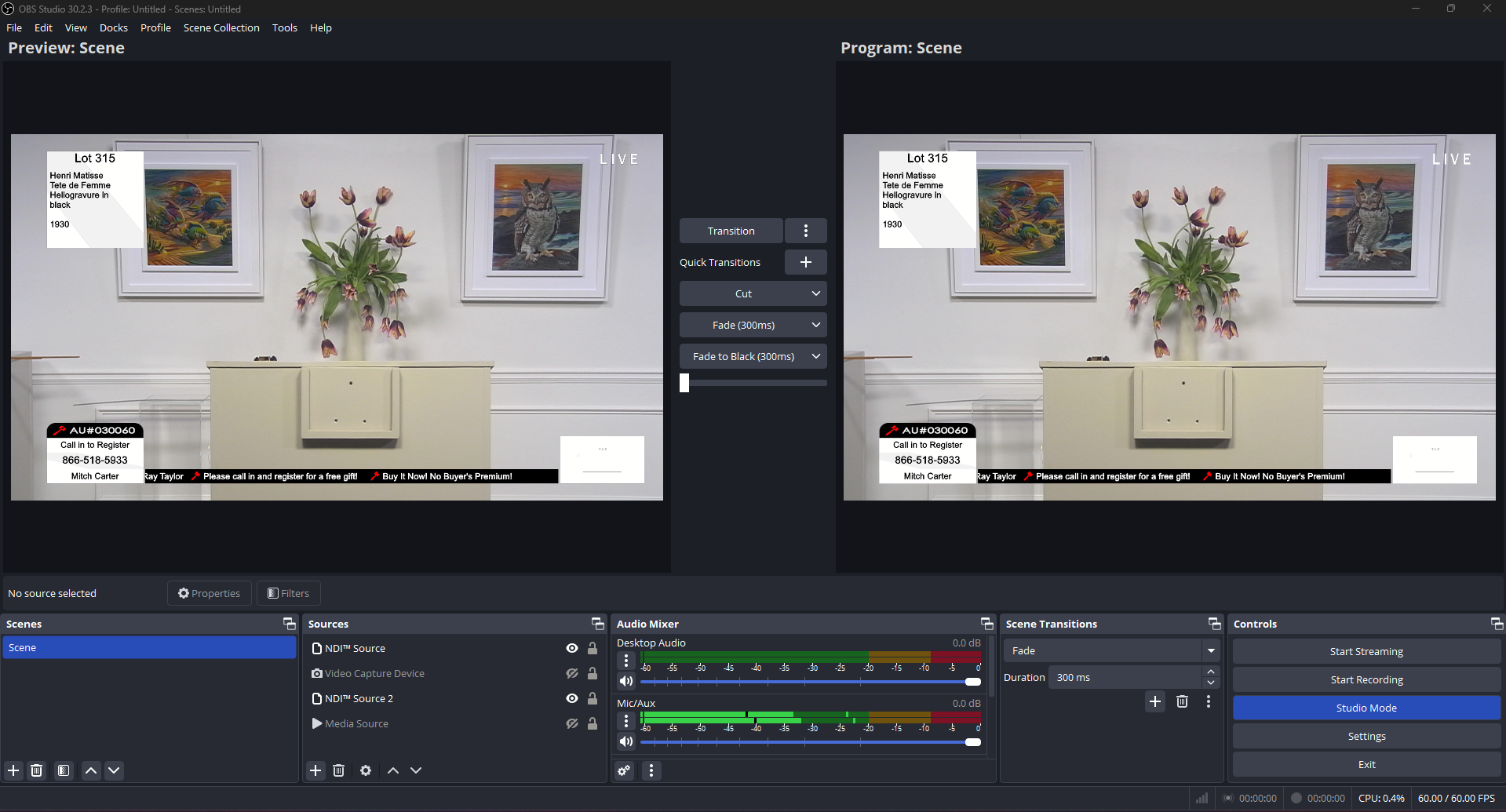
OBS Studio
OBS can receive NDI sources with the DistroAV plugin, formerly OBS-NDI. Install the plugin, add an NDI source, and select the TVGI output from the network source list.
DistroAV NDI plugin for OBSSee it live
Bring a sample product list, show format, or current graphics workflow and TVGI can be mapped to the way your team actually runs a live show. Demo Mode lets you evaluate the workflow while protected NDI output stays branded until activation.
Request Demo